Save everyday and everything with us! Join Free or Sign in

{"id":10331355054338,"title":"Logitech Tap Scheduler LCD Scheduling Display White","handle":"logitech-tap-scheduler-lcd-scheduling-display-white","description":"\u003cp style=\"margin:1em 0\"\u003eThe Logitech Tap Scheduler is a purpose-built 10.1-inch room scheduling panel engineered to streamline meeting room management and provide instant visibility outside conference spaces. Certified for leading booking platforms including Microsoft Teams Panels, Zoom Rooms Scheduling Display, Robin, and Appspace, the panel features vibrant green and red LED availability indicators that allow staff to view room status clearly from a distance. The responsive IPS touchscreen delivers a 1280 x 800 resolution with 400 nits of brightness, an oleophobic anti-fingerprint coating, and an integrated ambient light sensor that automatically adjusts to changing corridor lighting.\u003c\/p\u003e\u003cp style=\"margin:1em 0\"\u003eInstallation is clean and straightforward with single-cable Power over Ethernet (PoE 802.3af Type 1, Class 3) connectivity, eliminating the need for dedicated power outlets at the mounting location. The unit includes versatile mounting hardware out of the box, supporting multi-surface placement on glass partitions, drywall, corners, and mullions, alongside standard 100 x 100 mm VESA compatibility. Clean cable routing options allow the network connection to exit horizontally, vertically, or directly through the mounting surface for a tidy architectural finish.\u003c\/p\u003e\u003cp style=\"margin:1em 0\"\u003eRunning on Logitech CollabOS, the Tap Scheduler ensures robust enterprise-grade security with AES-128 full disk encryption, Arm TrustZone key protection, and device attestation. Centralized fleet monitoring, remote diagnostics, and firmware deployment are managed seamlessly through Logitech Sync, while platform administrators can configure room logic directly within Microsoft Teams admin center or Zoom Device Management.\u003c\/p\u003e\n\u003ctable class=\"pu-table\" style=\"width:100%;border-collapse:separate;border-spacing:0;border:0;box-shadow:none;outline:none;background:none;table-layout:fixed;margin:0 0 1em\"\u003e\u003ctbody\u003e\n\u003ctr\u003e\n\u003ctd style=\"border:0;padding:0.4em 0.75em 0.4em 0;opacity:0.65;vertical-align:top;border-bottom:1px solid rgba(128,128,128,0.16);border-bottom:1px solid color-mix(in srgb,currentColor 12%,transparent)\"\u003eBrand\u003c\/td\u003e\n\u003ctd style=\"border:0;padding:0.4em 0;vertical-align:top;border-bottom:1px solid rgba(128,128,128,0.16);border-bottom:1px solid color-mix(in srgb,currentColor 12%,transparent)\"\u003eLogitech\u003c\/td\u003e\n\u003c\/tr\u003e\n\u003ctr\u003e\n\u003ctd style=\"border:0;padding:0.4em 0.75em 0.4em 0;opacity:0.65;vertical-align:top;border-bottom:1px solid rgba(128,128,128,0.16);border-bottom:1px solid color-mix(in srgb,currentColor 12%,transparent)\"\u003eModel\u003c\/td\u003e\n\u003ctd style=\"border:0;padding:0.4em 0;vertical-align:top;border-bottom:1px solid rgba(128,128,128,0.16);border-bottom:1px solid color-mix(in srgb,currentColor 12%,transparent)\"\u003eTap Scheduler (VR0028)\u003c\/td\u003e\n\u003c\/tr\u003e\n\u003ctr\u003e\n\u003ctd style=\"border:0;padding:0.4em 0.75em 0.4em 0;opacity:0.65;vertical-align:top;border-bottom:1px solid rgba(128,128,128,0.16);border-bottom:1px solid color-mix(in srgb,currentColor 12%,transparent)\"\u003ePart Number\u003c\/td\u003e\n\u003ctd style=\"border:0;padding:0.4em 0;vertical-align:top;border-bottom:1px solid rgba(128,128,128,0.16);border-bottom:1px solid color-mix(in srgb,currentColor 12%,transparent)\"\u003e952-000094\u003c\/td\u003e\n\u003c\/tr\u003e\n\u003ctr\u003e\n\u003ctd style=\"border:0;padding:0.4em 0.75em 0.4em 0;opacity:0.65;vertical-align:top;border-bottom:1px solid rgba(128,128,128,0.16);border-bottom:1px solid color-mix(in srgb,currentColor 12%,transparent)\"\u003eColour\u003c\/td\u003e\n\u003ctd style=\"border:0;padding:0.4em 0;vertical-align:top;border-bottom:1px solid rgba(128,128,128,0.16);border-bottom:1px solid color-mix(in srgb,currentColor 12%,transparent)\"\u003eWhite\u003c\/td\u003e\n\u003c\/tr\u003e\n\u003ctr\u003e\n\u003ctd style=\"border:0;padding:0.4em 0.75em 0.4em 0;opacity:0.65;vertical-align:top;border-bottom:1px solid rgba(128,128,128,0.16);border-bottom:1px solid color-mix(in srgb,currentColor 12%,transparent)\"\u003eDisplay Size\u003c\/td\u003e\n\u003ctd style=\"border:0;padding:0.4em 0;vertical-align:top;border-bottom:1px solid rgba(128,128,128,0.16);border-bottom:1px solid color-mix(in srgb,currentColor 12%,transparent)\"\u003e10.1\"\u003c\/td\u003e\n\u003c\/tr\u003e\n\u003ctr\u003e\n\u003ctd style=\"border:0;padding:0.4em 0.75em 0.4em 0;opacity:0.65;vertical-align:top;border-bottom:1px solid rgba(128,128,128,0.16);border-bottom:1px solid color-mix(in srgb,currentColor 12%,transparent)\"\u003eDisplay Type\u003c\/td\u003e\n\u003ctd style=\"border:0;padding:0.4em 0;vertical-align:top;border-bottom:1px solid rgba(128,128,128,0.16);border-bottom:1px solid color-mix(in srgb,currentColor 12%,transparent)\"\u003eIPS LCD with LED Backlighting\u003c\/td\u003e\n\u003c\/tr\u003e\n\u003ctr\u003e\n\u003ctd style=\"border:0;padding:0.4em 0.75em 0.4em 0;opacity:0.65;vertical-align:top;border-bottom:1px solid rgba(128,128,128,0.16);border-bottom:1px solid color-mix(in srgb,currentColor 12%,transparent)\"\u003eResolution\u003c\/td\u003e\n\u003ctd style=\"border:0;padding:0.4em 0;vertical-align:top;border-bottom:1px solid rgba(128,128,128,0.16);border-bottom:1px solid color-mix(in srgb,currentColor 12%,transparent)\"\u003e1280 x 800\u003c\/td\u003e\n\u003c\/tr\u003e\n\u003ctr\u003e\n\u003ctd style=\"border:0;padding:0.4em 0.75em 0.4em 0;opacity:0.65;vertical-align:top;border-bottom:1px solid rgba(128,128,128,0.16);border-bottom:1px solid color-mix(in srgb,currentColor 12%,transparent)\"\u003eTouch Technology\u003c\/td\u003e\n\u003ctd style=\"border:0;padding:0.4em 0;vertical-align:top;border-bottom:1px solid rgba(128,128,128,0.16);border-bottom:1px solid color-mix(in srgb,currentColor 12%,transparent)\"\u003eCapacitive 10-point Multi-Touch\u003c\/td\u003e\n\u003c\/tr\u003e\n\u003ctr\u003e\n\u003ctd style=\"border:0;padding:0.4em 0.75em 0.4em 0;opacity:0.65;vertical-align:top;border-bottom:1px solid rgba(128,128,128,0.16);border-bottom:1px solid color-mix(in srgb,currentColor 12%,transparent)\"\u003eBrightness\u003c\/td\u003e\n\u003ctd style=\"border:0;padding:0.4em 0;vertical-align:top;border-bottom:1px solid rgba(128,128,128,0.16);border-bottom:1px solid color-mix(in srgb,currentColor 12%,transparent)\"\u003e400 nits\u003c\/td\u003e\n\u003c\/tr\u003e\n\u003ctr\u003e\n\u003ctd style=\"border:0;padding:0.4em 0.75em 0.4em 0;opacity:0.65;vertical-align:top;border-bottom:1px solid rgba(128,128,128,0.16);border-bottom:1px solid color-mix(in srgb,currentColor 12%,transparent)\"\u003eContrast Ratio\u003c\/td\u003e\n\u003ctd style=\"border:0;padding:0.4em 0;vertical-align:top;border-bottom:1px solid rgba(128,128,128,0.16);border-bottom:1px solid color-mix(in srgb,currentColor 12%,transparent)\"\u003e1000:1\u003c\/td\u003e\n\u003c\/tr\u003e\n\u003ctr\u003e\n\u003ctd style=\"border:0;padding:0.4em 0.75em 0.4em 0;opacity:0.65;vertical-align:top;border-bottom:1px solid rgba(128,128,128,0.16);border-bottom:1px solid color-mix(in srgb,currentColor 12%,transparent)\"\u003eViewing Angle\u003c\/td\u003e\n\u003ctd style=\"border:0;padding:0.4em 0;vertical-align:top;border-bottom:1px solid rgba(128,128,128,0.16);border-bottom:1px solid color-mix(in srgb,currentColor 12%,transparent)\"\u003e85°\u003c\/td\u003e\n\u003c\/tr\u003e\n\u003ctr\u003e\n\u003ctd style=\"border:0;padding:0.4em 0.75em 0.4em 0;opacity:0.65;vertical-align:top;border-bottom:1px solid rgba(128,128,128,0.16);border-bottom:1px solid color-mix(in srgb,currentColor 12%,transparent)\"\u003ePower Supply\u003c\/td\u003e\n\u003ctd style=\"border:0;padding:0.4em 0;vertical-align:top;border-bottom:1px solid rgba(128,128,128,0.16);border-bottom:1px solid color-mix(in srgb,currentColor 12%,transparent)\"\u003ePower over Ethernet (PoE) IEEE 802.3af Type 1 Class 3\u003c\/td\u003e\n\u003c\/tr\u003e\n\u003ctr\u003e\n\u003ctd style=\"border:0;padding:0.4em 0.75em 0.4em 0;opacity:0.65;vertical-align:top;border-bottom:1px solid rgba(128,128,128,0.16);border-bottom:1px solid color-mix(in srgb,currentColor 12%,transparent)\"\u003eNetwork Connectivity\u003c\/td\u003e\n\u003ctd style=\"border:0;padding:0.4em 0;vertical-align:top;border-bottom:1px solid rgba(128,128,128,0.16);border-bottom:1px solid color-mix(in srgb,currentColor 12%,transparent)\"\u003eEthernet 10\/100 Mbps (RJ45), Wi-Fi 802.11a\/b\/g\/n\/ac\u003c\/td\u003e\n\u003c\/tr\u003e\n\u003ctr\u003e\n\u003ctd style=\"border:0;padding:0.4em 0.75em 0.4em 0;opacity:0.65;vertical-align:top;border-bottom:1px solid rgba(128,128,128,0.16);border-bottom:1px solid color-mix(in srgb,currentColor 12%,transparent)\"\u003eOperating System\u003c\/td\u003e\n\u003ctd style=\"border:0;padding:0.4em 0;vertical-align:top;border-bottom:1px solid rgba(128,128,128,0.16);border-bottom:1px solid color-mix(in srgb,currentColor 12%,transparent)\"\u003eLogitech CollabOS\u003c\/td\u003e\n\u003c\/tr\u003e\n\u003ctr\u003e\n\u003ctd style=\"border:0;padding:0.4em 0.75em 0.4em 0;opacity:0.65;vertical-align:top;border-bottom:1px solid rgba(128,128,128,0.16);border-bottom:1px solid color-mix(in srgb,currentColor 12%,transparent)\"\u003eSensors\u003c\/td\u003e\n\u003ctd style=\"border:0;padding:0.4em 0;vertical-align:top;border-bottom:1px solid rgba(128,128,128,0.16);border-bottom:1px solid color-mix(in srgb,currentColor 12%,transparent)\"\u003eAmbient Light Sensor, Accelerometer\u003c\/td\u003e\n\u003c\/tr\u003e\n\u003ctr\u003e\n\u003ctd style=\"border:0;padding:0.4em 0.75em 0.4em 0;opacity:0.65;vertical-align:top;border-bottom:1px solid rgba(128,128,128,0.16);border-bottom:1px solid color-mix(in srgb,currentColor 12%,transparent)\"\u003eVESA Mount Compatible\u003c\/td\u003e\n\u003ctd style=\"border:0;padding:0.4em 0;vertical-align:top;border-bottom:1px solid rgba(128,128,128,0.16);border-bottom:1px solid color-mix(in srgb,currentColor 12%,transparent)\"\u003e100 x 100 mm\u003c\/td\u003e\n\u003c\/tr\u003e\n\u003ctr\u003e\n\u003ctd style=\"border:0;padding:0.4em 0.75em 0.4em 0;opacity:0.65;vertical-align:top;border-bottom:1px solid rgba(128,128,128,0.16);border-bottom:1px solid color-mix(in srgb,currentColor 12%,transparent)\"\u003eDevice Dimensions\u003c\/td\u003e\n\u003ctd style=\"border:0;padding:0.4em 0;vertical-align:top;border-bottom:1px solid rgba(128,128,128,0.16);border-bottom:1px solid color-mix(in srgb,currentColor 12%,transparent)\"\u003e16.5 x 24.6 x 2.9 cm\u003c\/td\u003e\n\u003c\/tr\u003e\n\u003ctr\u003e\n\u003ctd style=\"border:0;padding:0.4em 0.75em 0.4em 0;opacity:0.65;vertical-align:top\"\u003eWeight\u003c\/td\u003e\n\u003ctd style=\"border:0;padding:0.4em 0;vertical-align:top\"\u003e0.7 kg\u003c\/td\u003e\n\u003c\/tr\u003e\n\u003c\/tbody\u003e\u003c\/table\u003e","published_at":"2026-09-30T12:24:23+08:00","created_at":"2026-09-30T12:24:18+08:00","vendor":"Logitech","type":"","tags":["Conference Room Booking","Created by Product Upload","Logitech CollabOS","Logitech Tap Scheduler","Meeting Room Panel","PoE Touch Display","Room Scheduling Display","Teams Panel Display","Zoom Rooms Scheduler"],"price":115856,"price_min":115856,"price_max":115856,"available":true,"price_varies":false,"compare_at_price":139027,"compare_at_price_min":139027,"compare_at_price_max":139027,"compare_at_price_varies":false,"variants":[{"id":50563476193538,"title":"Default Title","option1":"Default Title","option2":null,"option3":null,"sku":"952-000094","requires_shipping":true,"taxable":true,"featured_image":null,"available":true,"name":"Logitech Tap Scheduler LCD Scheduling Display White","public_title":null,"options":["Default Title"],"price":115856,"weight":700,"compare_at_price":139027,"inventory_management":null,"barcode":"097855169983","requires_selling_plan":false,"selling_plan_allocations":[],"quantity_rule":{"min":1,"max":null,"increment":1}}],"images":["\/\/lioncityco.com\/cdn\/shop\/files\/logitech-tap-scheduler-lcd-scheduling-display-white-952-000094-8514056.jpg?v=1790742261","\/\/lioncityco.com\/cdn\/shop\/files\/logitech-tap-scheduler-lcd-scheduling-display-white-952-000094-836928.jpg?v=1790742261","\/\/lioncityco.com\/cdn\/shop\/files\/logitech-tap-scheduler-lcd-scheduling-display-white-952-000094-107580.jpg?v=1790742261","\/\/lioncityco.com\/cdn\/shop\/files\/logitech-tap-scheduler-lcd-scheduling-display-white-952-000094-441968.jpg?v=1790742261"],"featured_image":"\/\/lioncityco.com\/cdn\/shop\/files\/logitech-tap-scheduler-lcd-scheduling-display-white-952-000094-8514056.jpg?v=1790742261","options":["Title"],"media":[{"alt":"Logitech Tap Scheduler LCD Scheduling Display White","id":46478168064258,"position":1,"preview_image":{"aspect_ratio":1.0,"height":1280,"width":1280,"src":"\/\/lioncityco.com\/cdn\/shop\/files\/logitech-tap-scheduler-lcd-scheduling-display-white-952-000094-8514056.jpg?v=1790742261"},"aspect_ratio":1.0,"height":1280,"media_type":"image","src":"\/\/lioncityco.com\/cdn\/shop\/files\/logitech-tap-scheduler-lcd-scheduling-display-white-952-000094-8514056.jpg?v=1790742261","width":1280},{"alt":"Logitech Tap Scheduler LCD Scheduling Display White","id":46478168097026,"position":2,"preview_image":{"aspect_ratio":1.224,"height":687,"width":841,"src":"\/\/lioncityco.com\/cdn\/shop\/files\/logitech-tap-scheduler-lcd-scheduling-display-white-952-000094-836928.jpg?v=1790742261"},"aspect_ratio":1.224,"height":687,"media_type":"image","src":"\/\/lioncityco.com\/cdn\/shop\/files\/logitech-tap-scheduler-lcd-scheduling-display-white-952-000094-836928.jpg?v=1790742261","width":841},{"alt":"Logitech Tap Scheduler LCD Scheduling Display White","id":46478168129794,"position":3,"preview_image":{"aspect_ratio":1.149,"height":685,"width":787,"src":"\/\/lioncityco.com\/cdn\/shop\/files\/logitech-tap-scheduler-lcd-scheduling-display-white-952-000094-107580.jpg?v=1790742261"},"aspect_ratio":1.149,"height":685,"media_type":"image","src":"\/\/lioncityco.com\/cdn\/shop\/files\/logitech-tap-scheduler-lcd-scheduling-display-white-952-000094-107580.jpg?v=1790742261","width":787},{"alt":"Logitech Tap Scheduler LCD Scheduling Display White","id":46478168162562,"position":4,"preview_image":{"aspect_ratio":1.007,"height":707,"width":712,"src":"\/\/lioncityco.com\/cdn\/shop\/files\/logitech-tap-scheduler-lcd-scheduling-display-white-952-000094-441968.jpg?v=1790742261"},"aspect_ratio":1.007,"height":707,"media_type":"image","src":"\/\/lioncityco.com\/cdn\/shop\/files\/logitech-tap-scheduler-lcd-scheduling-display-white-952-000094-441968.jpg?v=1790742261","width":712}],"requires_selling_plan":false,"selling_plan_groups":[],"content":"\u003cp style=\"margin:1em 0\"\u003eThe Logitech Tap Scheduler is a purpose-built 10.1-inch room scheduling panel engineered to streamline meeting room management and provide instant visibility outside conference spaces. Certified for leading booking platforms including Microsoft Teams Panels, Zoom Rooms Scheduling Display, Robin, and Appspace, the panel features vibrant green and red LED availability indicators that allow staff to view room status clearly from a distance. The responsive IPS touchscreen delivers a 1280 x 800 resolution with 400 nits of brightness, an oleophobic anti-fingerprint coating, and an integrated ambient light sensor that automatically adjusts to changing corridor lighting.\u003c\/p\u003e\u003cp style=\"margin:1em 0\"\u003eInstallation is clean and straightforward with single-cable Power over Ethernet (PoE 802.3af Type 1, Class 3) connectivity, eliminating the need for dedicated power outlets at the mounting location. The unit includes versatile mounting hardware out of the box, supporting multi-surface placement on glass partitions, drywall, corners, and mullions, alongside standard 100 x 100 mm VESA compatibility. Clean cable routing options allow the network connection to exit horizontally, vertically, or directly through the mounting surface for a tidy architectural finish.\u003c\/p\u003e\u003cp style=\"margin:1em 0\"\u003eRunning on Logitech CollabOS, the Tap Scheduler ensures robust enterprise-grade security with AES-128 full disk encryption, Arm TrustZone key protection, and device attestation. Centralized fleet monitoring, remote diagnostics, and firmware deployment are managed seamlessly through Logitech Sync, while platform administrators can configure room logic directly within Microsoft Teams admin center or Zoom Device Management.\u003c\/p\u003e\n\u003ctable class=\"pu-table\" style=\"width:100%;border-collapse:separate;border-spacing:0;border:0;box-shadow:none;outline:none;background:none;table-layout:fixed;margin:0 0 1em\"\u003e\u003ctbody\u003e\n\u003ctr\u003e\n\u003ctd style=\"border:0;padding:0.4em 0.75em 0.4em 0;opacity:0.65;vertical-align:top;border-bottom:1px solid rgba(128,128,128,0.16);border-bottom:1px solid color-mix(in srgb,currentColor 12%,transparent)\"\u003eBrand\u003c\/td\u003e\n\u003ctd style=\"border:0;padding:0.4em 0;vertical-align:top;border-bottom:1px solid rgba(128,128,128,0.16);border-bottom:1px solid color-mix(in srgb,currentColor 12%,transparent)\"\u003eLogitech\u003c\/td\u003e\n\u003c\/tr\u003e\n\u003ctr\u003e\n\u003ctd style=\"border:0;padding:0.4em 0.75em 0.4em 0;opacity:0.65;vertical-align:top;border-bottom:1px solid rgba(128,128,128,0.16);border-bottom:1px solid color-mix(in srgb,currentColor 12%,transparent)\"\u003eModel\u003c\/td\u003e\n\u003ctd style=\"border:0;padding:0.4em 0;vertical-align:top;border-bottom:1px solid rgba(128,128,128,0.16);border-bottom:1px solid color-mix(in srgb,currentColor 12%,transparent)\"\u003eTap Scheduler (VR0028)\u003c\/td\u003e\n\u003c\/tr\u003e\n\u003ctr\u003e\n\u003ctd style=\"border:0;padding:0.4em 0.75em 0.4em 0;opacity:0.65;vertical-align:top;border-bottom:1px solid rgba(128,128,128,0.16);border-bottom:1px solid color-mix(in srgb,currentColor 12%,transparent)\"\u003ePart Number\u003c\/td\u003e\n\u003ctd style=\"border:0;padding:0.4em 0;vertical-align:top;border-bottom:1px solid rgba(128,128,128,0.16);border-bottom:1px solid color-mix(in srgb,currentColor 12%,transparent)\"\u003e952-000094\u003c\/td\u003e\n\u003c\/tr\u003e\n\u003ctr\u003e\n\u003ctd style=\"border:0;padding:0.4em 0.75em 0.4em 0;opacity:0.65;vertical-align:top;border-bottom:1px solid rgba(128,128,128,0.16);border-bottom:1px solid color-mix(in srgb,currentColor 12%,transparent)\"\u003eColour\u003c\/td\u003e\n\u003ctd style=\"border:0;padding:0.4em 0;vertical-align:top;border-bottom:1px solid rgba(128,128,128,0.16);border-bottom:1px solid color-mix(in srgb,currentColor 12%,transparent)\"\u003eWhite\u003c\/td\u003e\n\u003c\/tr\u003e\n\u003ctr\u003e\n\u003ctd style=\"border:0;padding:0.4em 0.75em 0.4em 0;opacity:0.65;vertical-align:top;border-bottom:1px solid rgba(128,128,128,0.16);border-bottom:1px solid color-mix(in srgb,currentColor 12%,transparent)\"\u003eDisplay Size\u003c\/td\u003e\n\u003ctd style=\"border:0;padding:0.4em 0;vertical-align:top;border-bottom:1px solid rgba(128,128,128,0.16);border-bottom:1px solid color-mix(in srgb,currentColor 12%,transparent)\"\u003e10.1\"\u003c\/td\u003e\n\u003c\/tr\u003e\n\u003ctr\u003e\n\u003ctd style=\"border:0;padding:0.4em 0.75em 0.4em 0;opacity:0.65;vertical-align:top;border-bottom:1px solid rgba(128,128,128,0.16);border-bottom:1px solid color-mix(in srgb,currentColor 12%,transparent)\"\u003eDisplay Type\u003c\/td\u003e\n\u003ctd style=\"border:0;padding:0.4em 0;vertical-align:top;border-bottom:1px solid rgba(128,128,128,0.16);border-bottom:1px solid color-mix(in srgb,currentColor 12%,transparent)\"\u003eIPS LCD with LED Backlighting\u003c\/td\u003e\n\u003c\/tr\u003e\n\u003ctr\u003e\n\u003ctd style=\"border:0;padding:0.4em 0.75em 0.4em 0;opacity:0.65;vertical-align:top;border-bottom:1px solid rgba(128,128,128,0.16);border-bottom:1px solid color-mix(in srgb,currentColor 12%,transparent)\"\u003eResolution\u003c\/td\u003e\n\u003ctd style=\"border:0;padding:0.4em 0;vertical-align:top;border-bottom:1px solid rgba(128,128,128,0.16);border-bottom:1px solid color-mix(in srgb,currentColor 12%,transparent)\"\u003e1280 x 800\u003c\/td\u003e\n\u003c\/tr\u003e\n\u003ctr\u003e\n\u003ctd style=\"border:0;padding:0.4em 0.75em 0.4em 0;opacity:0.65;vertical-align:top;border-bottom:1px solid rgba(128,128,128,0.16);border-bottom:1px solid color-mix(in srgb,currentColor 12%,transparent)\"\u003eTouch Technology\u003c\/td\u003e\n\u003ctd style=\"border:0;padding:0.4em 0;vertical-align:top;border-bottom:1px solid rgba(128,128,128,0.16);border-bottom:1px solid color-mix(in srgb,currentColor 12%,transparent)\"\u003eCapacitive 10-point Multi-Touch\u003c\/td\u003e\n\u003c\/tr\u003e\n\u003ctr\u003e\n\u003ctd style=\"border:0;padding:0.4em 0.75em 0.4em 0;opacity:0.65;vertical-align:top;border-bottom:1px solid rgba(128,128,128,0.16);border-bottom:1px solid color-mix(in srgb,currentColor 12%,transparent)\"\u003eBrightness\u003c\/td\u003e\n\u003ctd style=\"border:0;padding:0.4em 0;vertical-align:top;border-bottom:1px solid rgba(128,128,128,0.16);border-bottom:1px solid color-mix(in srgb,currentColor 12%,transparent)\"\u003e400 nits\u003c\/td\u003e\n\u003c\/tr\u003e\n\u003ctr\u003e\n\u003ctd style=\"border:0;padding:0.4em 0.75em 0.4em 0;opacity:0.65;vertical-align:top;border-bottom:1px solid rgba(128,128,128,0.16);border-bottom:1px solid color-mix(in srgb,currentColor 12%,transparent)\"\u003eContrast Ratio\u003c\/td\u003e\n\u003ctd style=\"border:0;padding:0.4em 0;vertical-align:top;border-bottom:1px solid rgba(128,128,128,0.16);border-bottom:1px solid color-mix(in srgb,currentColor 12%,transparent)\"\u003e1000:1\u003c\/td\u003e\n\u003c\/tr\u003e\n\u003ctr\u003e\n\u003ctd style=\"border:0;padding:0.4em 0.75em 0.4em 0;opacity:0.65;vertical-align:top;border-bottom:1px solid rgba(128,128,128,0.16);border-bottom:1px solid color-mix(in srgb,currentColor 12%,transparent)\"\u003eViewing Angle\u003c\/td\u003e\n\u003ctd style=\"border:0;padding:0.4em 0;vertical-align:top;border-bottom:1px solid rgba(128,128,128,0.16);border-bottom:1px solid color-mix(in srgb,currentColor 12%,transparent)\"\u003e85°\u003c\/td\u003e\n\u003c\/tr\u003e\n\u003ctr\u003e\n\u003ctd style=\"border:0;padding:0.4em 0.75em 0.4em 0;opacity:0.65;vertical-align:top;border-bottom:1px solid rgba(128,128,128,0.16);border-bottom:1px solid color-mix(in srgb,currentColor 12%,transparent)\"\u003ePower Supply\u003c\/td\u003e\n\u003ctd style=\"border:0;padding:0.4em 0;vertical-align:top;border-bottom:1px solid rgba(128,128,128,0.16);border-bottom:1px solid color-mix(in srgb,currentColor 12%,transparent)\"\u003ePower over Ethernet (PoE) IEEE 802.3af Type 1 Class 3\u003c\/td\u003e\n\u003c\/tr\u003e\n\u003ctr\u003e\n\u003ctd style=\"border:0;padding:0.4em 0.75em 0.4em 0;opacity:0.65;vertical-align:top;border-bottom:1px solid rgba(128,128,128,0.16);border-bottom:1px solid color-mix(in srgb,currentColor 12%,transparent)\"\u003eNetwork Connectivity\u003c\/td\u003e\n\u003ctd style=\"border:0;padding:0.4em 0;vertical-align:top;border-bottom:1px solid rgba(128,128,128,0.16);border-bottom:1px solid color-mix(in srgb,currentColor 12%,transparent)\"\u003eEthernet 10\/100 Mbps (RJ45), Wi-Fi 802.11a\/b\/g\/n\/ac\u003c\/td\u003e\n\u003c\/tr\u003e\n\u003ctr\u003e\n\u003ctd style=\"border:0;padding:0.4em 0.75em 0.4em 0;opacity:0.65;vertical-align:top;border-bottom:1px solid rgba(128,128,128,0.16);border-bottom:1px solid color-mix(in srgb,currentColor 12%,transparent)\"\u003eOperating System\u003c\/td\u003e\n\u003ctd style=\"border:0;padding:0.4em 0;vertical-align:top;border-bottom:1px solid rgba(128,128,128,0.16);border-bottom:1px solid color-mix(in srgb,currentColor 12%,transparent)\"\u003eLogitech CollabOS\u003c\/td\u003e\n\u003c\/tr\u003e\n\u003ctr\u003e\n\u003ctd style=\"border:0;padding:0.4em 0.75em 0.4em 0;opacity:0.65;vertical-align:top;border-bottom:1px solid rgba(128,128,128,0.16);border-bottom:1px solid color-mix(in srgb,currentColor 12%,transparent)\"\u003eSensors\u003c\/td\u003e\n\u003ctd style=\"border:0;padding:0.4em 0;vertical-align:top;border-bottom:1px solid rgba(128,128,128,0.16);border-bottom:1px solid color-mix(in srgb,currentColor 12%,transparent)\"\u003eAmbient Light Sensor, Accelerometer\u003c\/td\u003e\n\u003c\/tr\u003e\n\u003ctr\u003e\n\u003ctd style=\"border:0;padding:0.4em 0.75em 0.4em 0;opacity:0.65;vertical-align:top;border-bottom:1px solid rgba(128,128,128,0.16);border-bottom:1px solid color-mix(in srgb,currentColor 12%,transparent)\"\u003eVESA Mount Compatible\u003c\/td\u003e\n\u003ctd style=\"border:0;padding:0.4em 0;vertical-align:top;border-bottom:1px solid rgba(128,128,128,0.16);border-bottom:1px solid color-mix(in srgb,currentColor 12%,transparent)\"\u003e100 x 100 mm\u003c\/td\u003e\n\u003c\/tr\u003e\n\u003ctr\u003e\n\u003ctd style=\"border:0;padding:0.4em 0.75em 0.4em 0;opacity:0.65;vertical-align:top;border-bottom:1px solid rgba(128,128,128,0.16);border-bottom:1px solid color-mix(in srgb,currentColor 12%,transparent)\"\u003eDevice Dimensions\u003c\/td\u003e\n\u003ctd style=\"border:0;padding:0.4em 0;vertical-align:top;border-bottom:1px solid rgba(128,128,128,0.16);border-bottom:1px solid color-mix(in srgb,currentColor 12%,transparent)\"\u003e16.5 x 24.6 x 2.9 cm\u003c\/td\u003e\n\u003c\/tr\u003e\n\u003ctr\u003e\n\u003ctd style=\"border:0;padding:0.4em 0.75em 0.4em 0;opacity:0.65;vertical-align:top\"\u003eWeight\u003c\/td\u003e\n\u003ctd style=\"border:0;padding:0.4em 0;vertical-align:top\"\u003e0.7 kg\u003c\/td\u003e\n\u003c\/tr\u003e\n\u003c\/tbody\u003e\u003c\/table\u003e"}

Logitech Tap Scheduler LCD Scheduling Display White

Disclaimer: We strive to present product information as accurately as possible by sourcing directly from the manufacturer/agent. Specifications and prices are subject to change without prior notice. Consumers are highly recommended to verify the latest specs on the manufacturer’s site. Pictures are for illustration purposes only. Order placement does not guarantee immediate stock availability or price locking. Prices for Samsung SSDs and NVIDIA products are subject to the prevailing market price upon stock arrival and cannot be guaranteed at the time of order placement. Full payment may be required upfront for such orders. If the final supplier price increases upon stock arrival, customers will be informed of the revised price. Should the customer choose not to proceed with the revised price, the order will be cancelled and a full refund will be issued. In the event we are unable to fulfill your order due to stock depletion, manufacturer price increases, supplier pricing revisions, or listing errors, we will contact you with alternatives or process a cancellation. All refunds are issued in accordance with our prevailing Refund Policy. 

Logitech Tap Scheduler LCD Scheduling Display White

$1,158.56 $1,390.27
Maximum quantity available reached.
Best Price Gurantee

Note: To avoid disappointment, please verify with us for stock availability before purchasing.

Electronic appliances Singapore

Pay with Atome to save an extra $10!
How to Claim →
Product Description

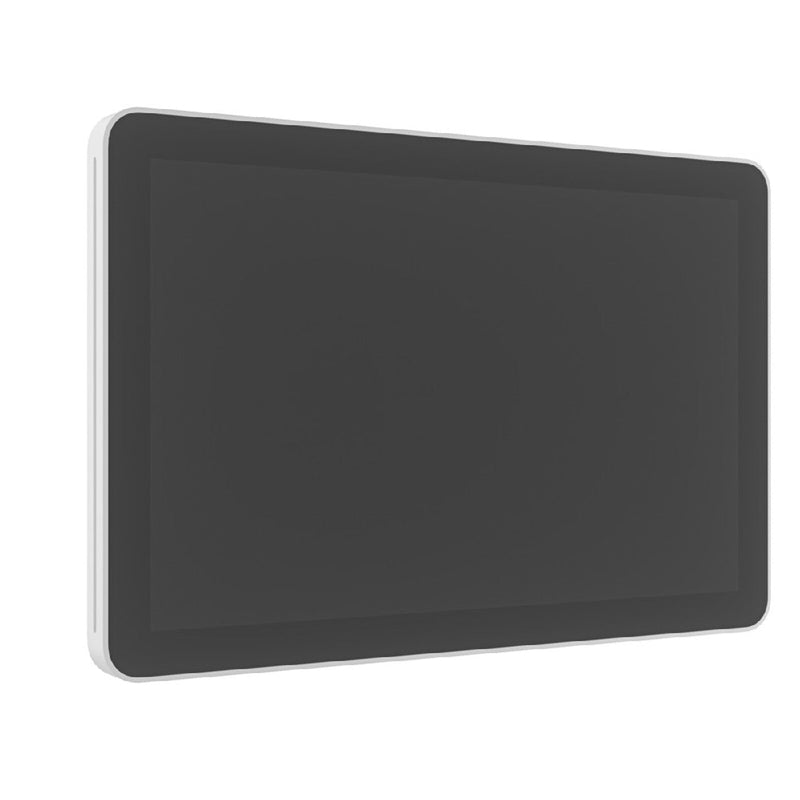
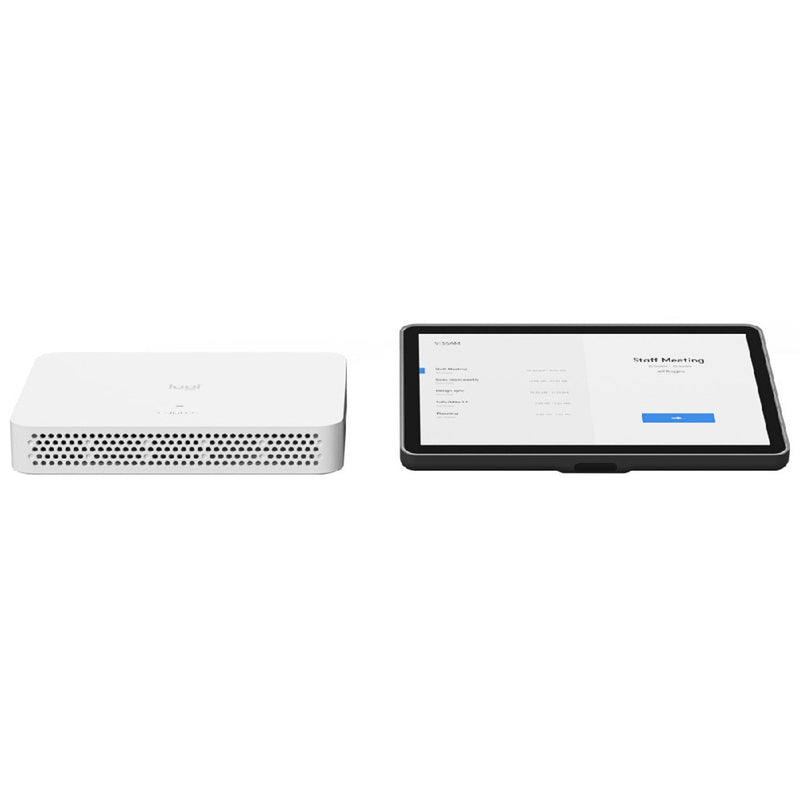
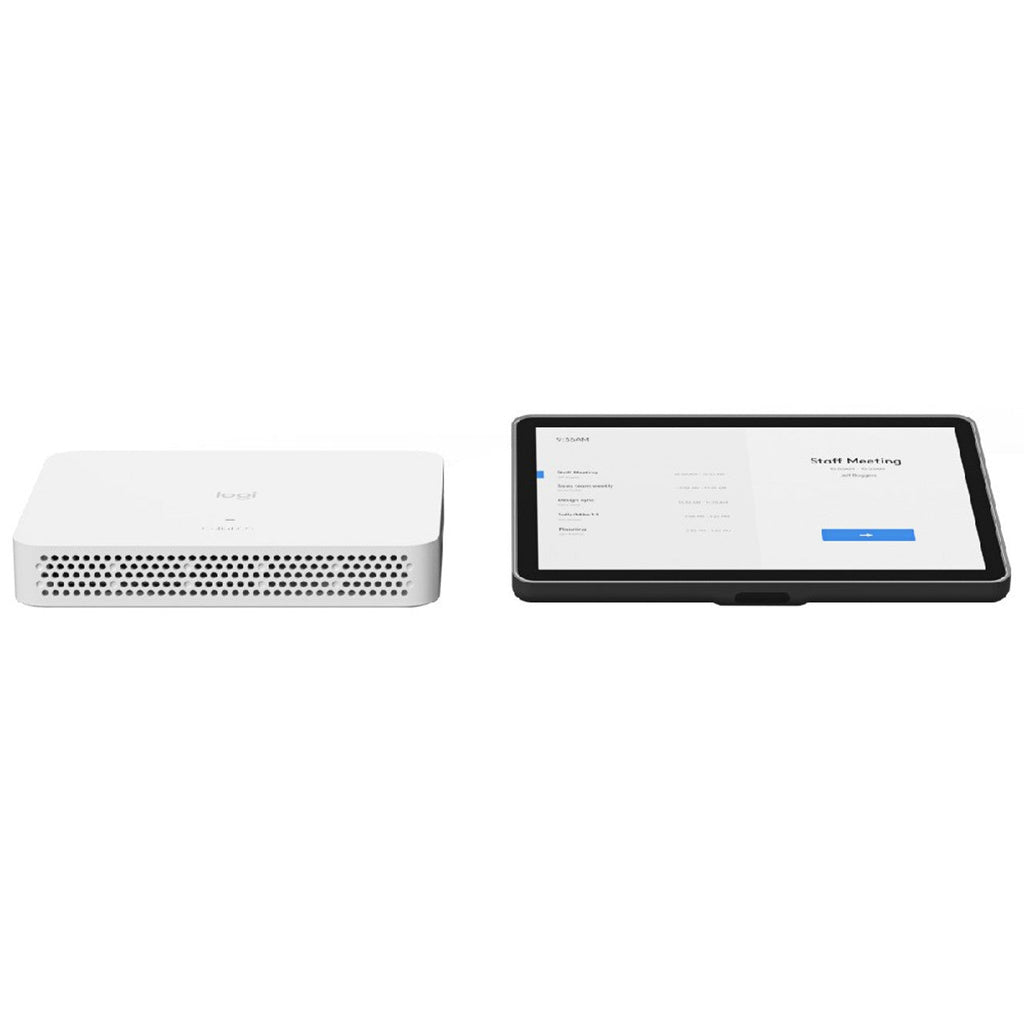
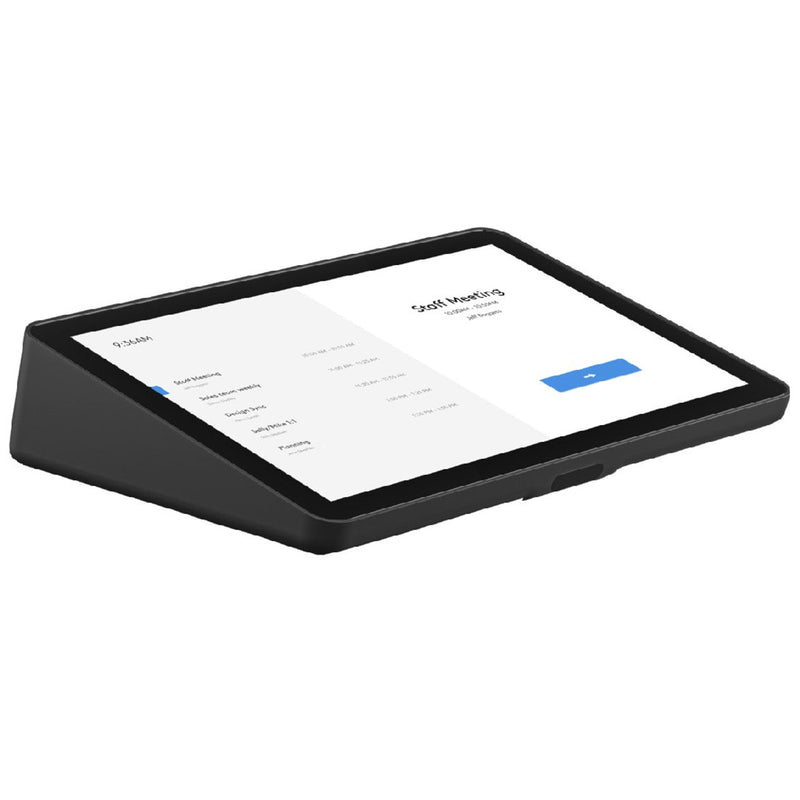
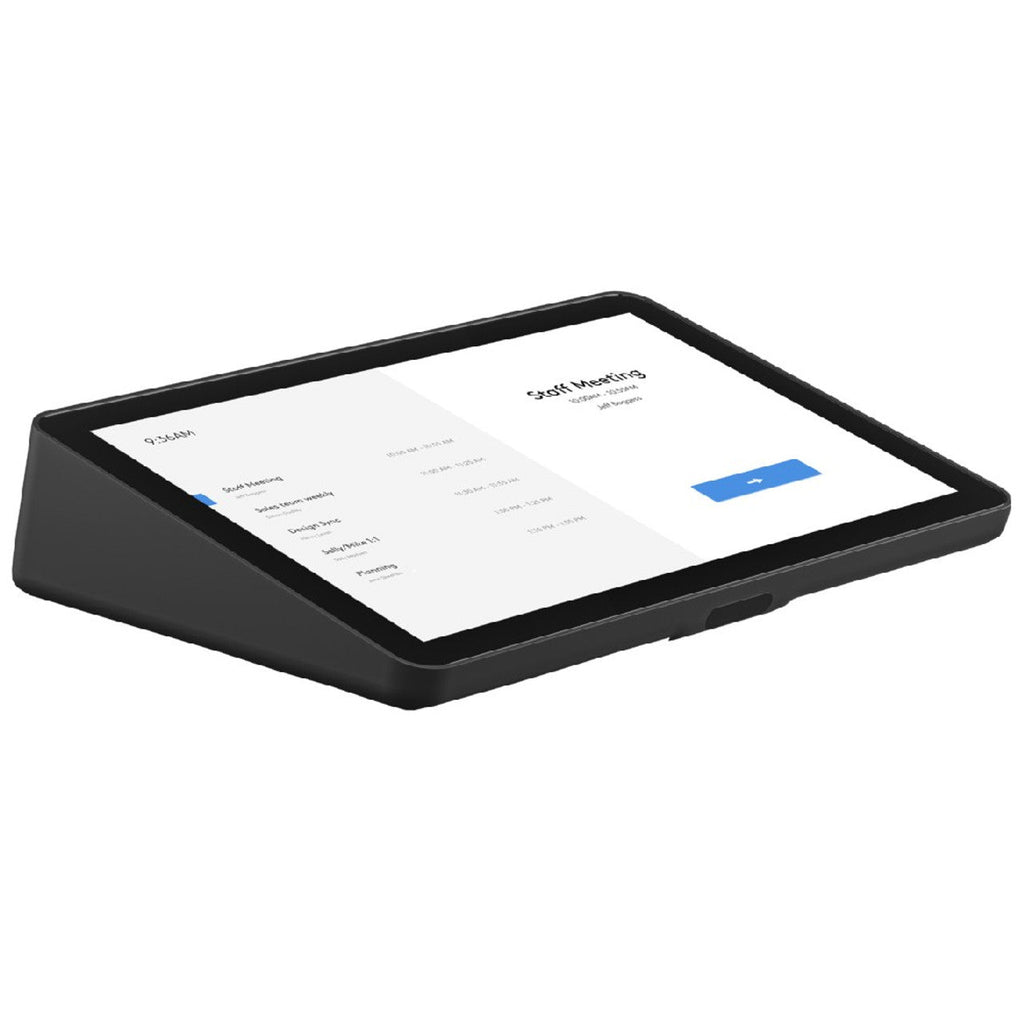
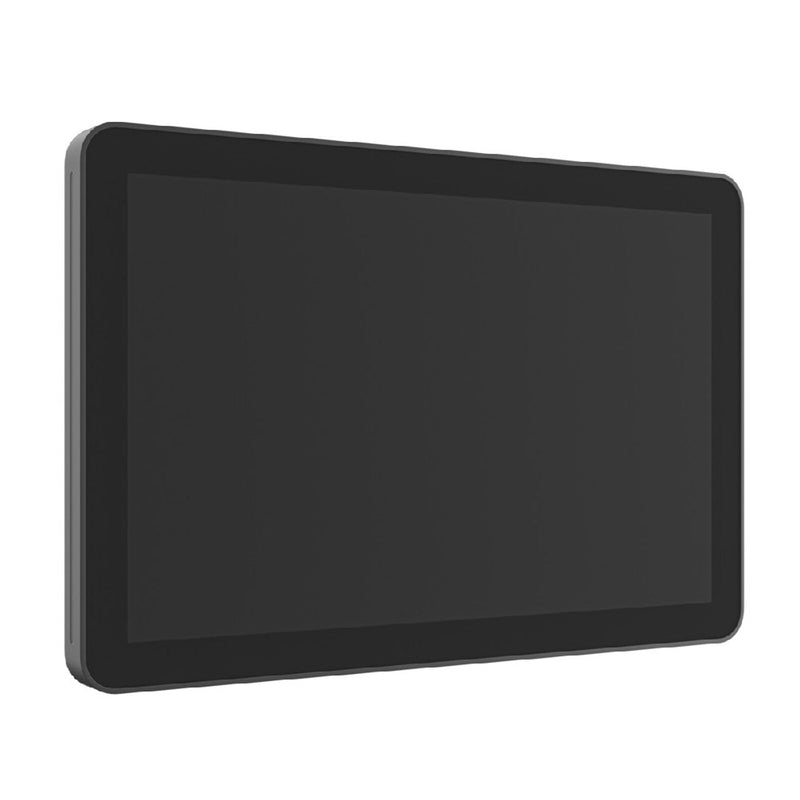
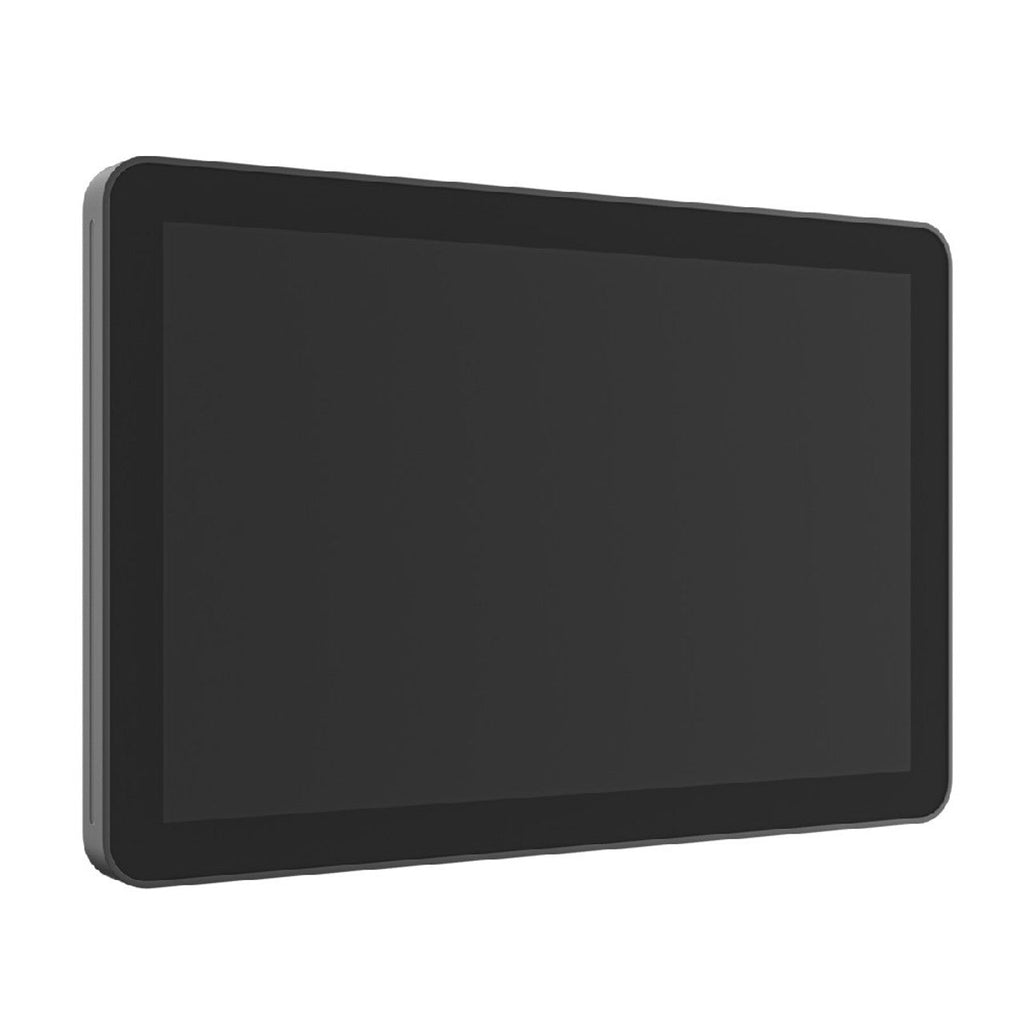
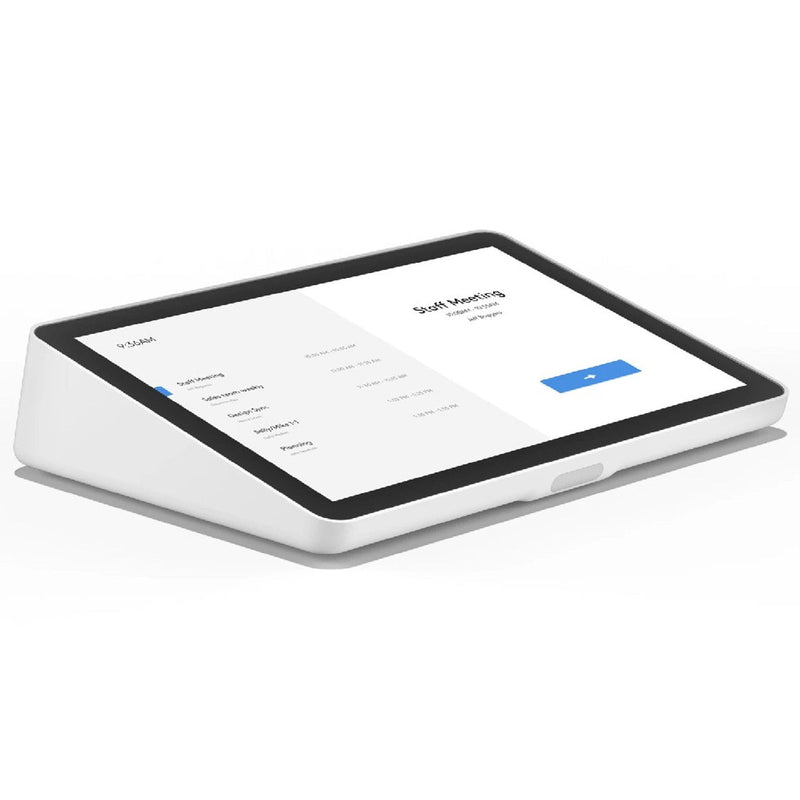
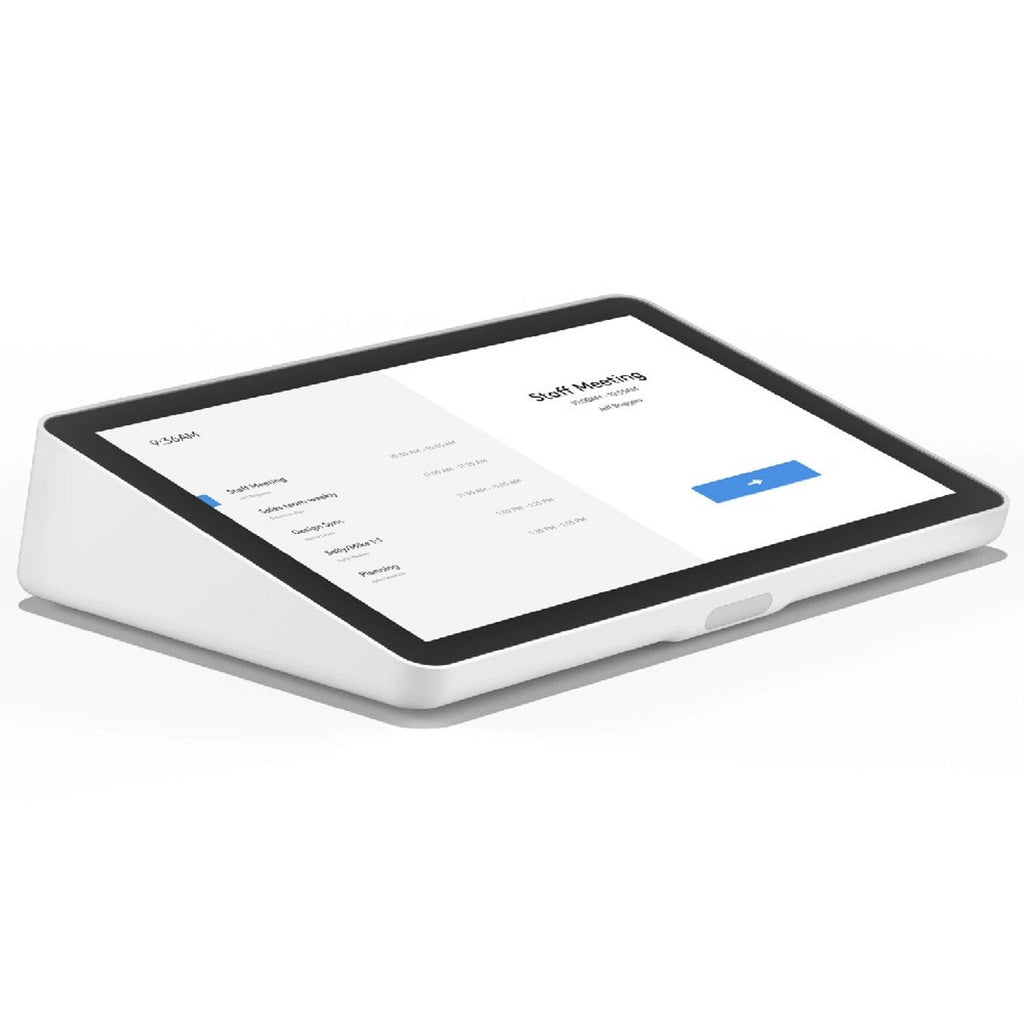
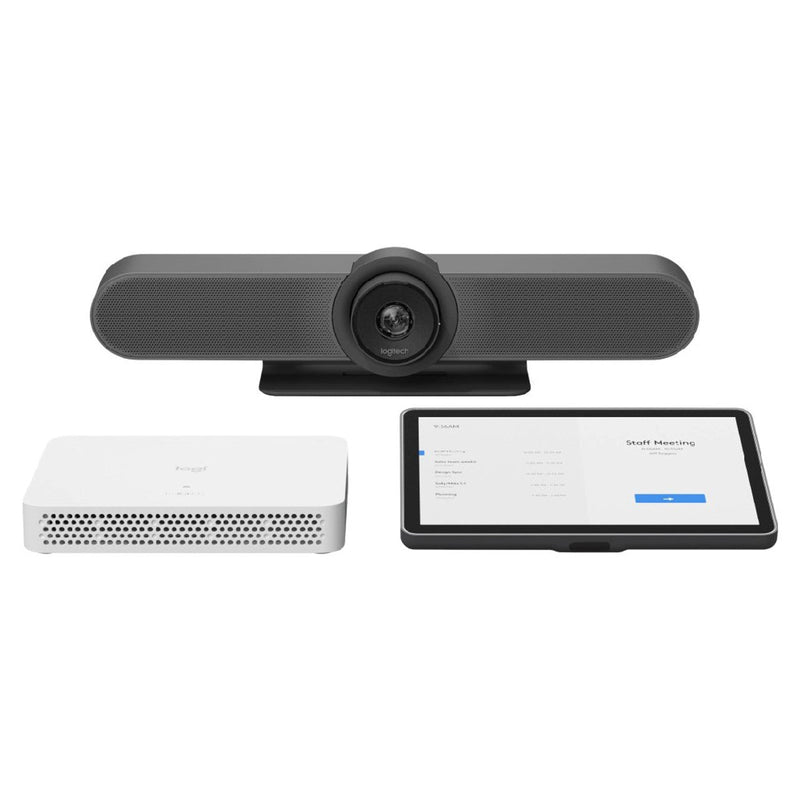
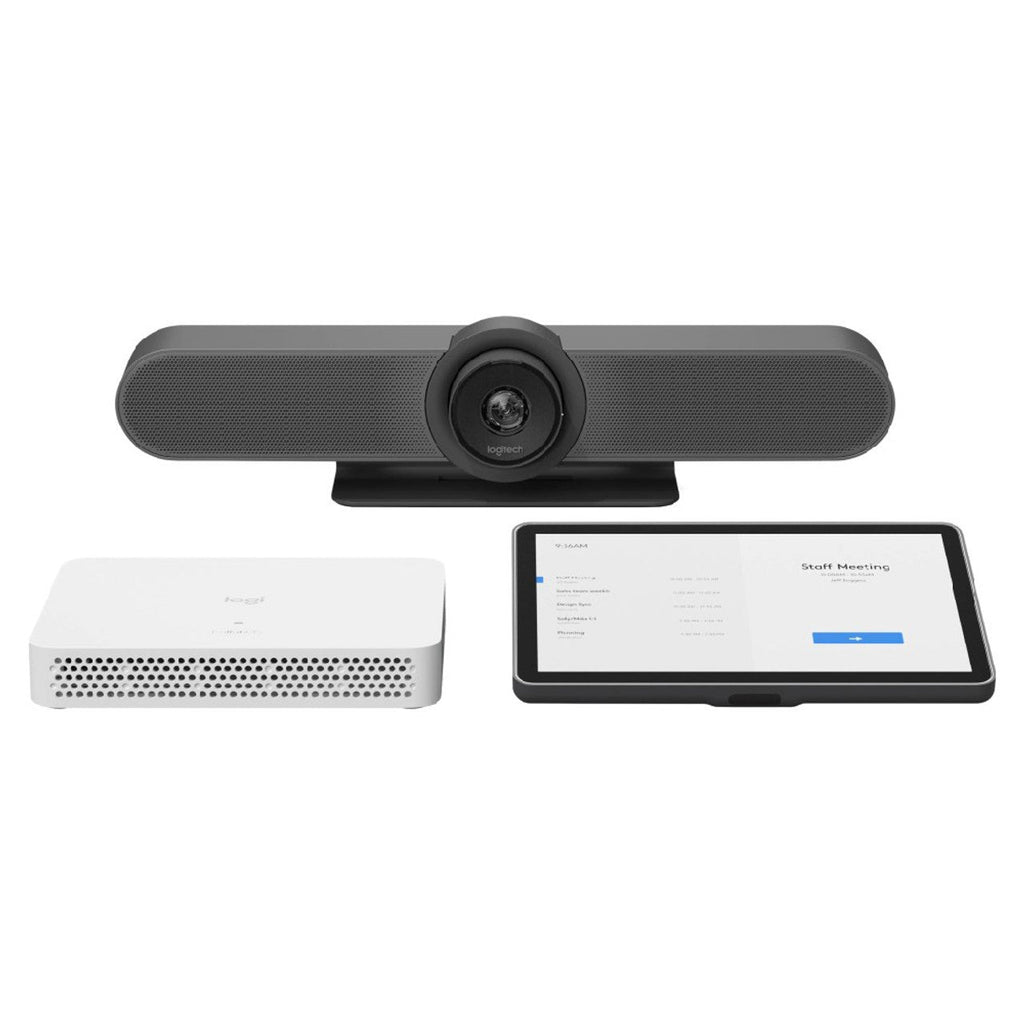
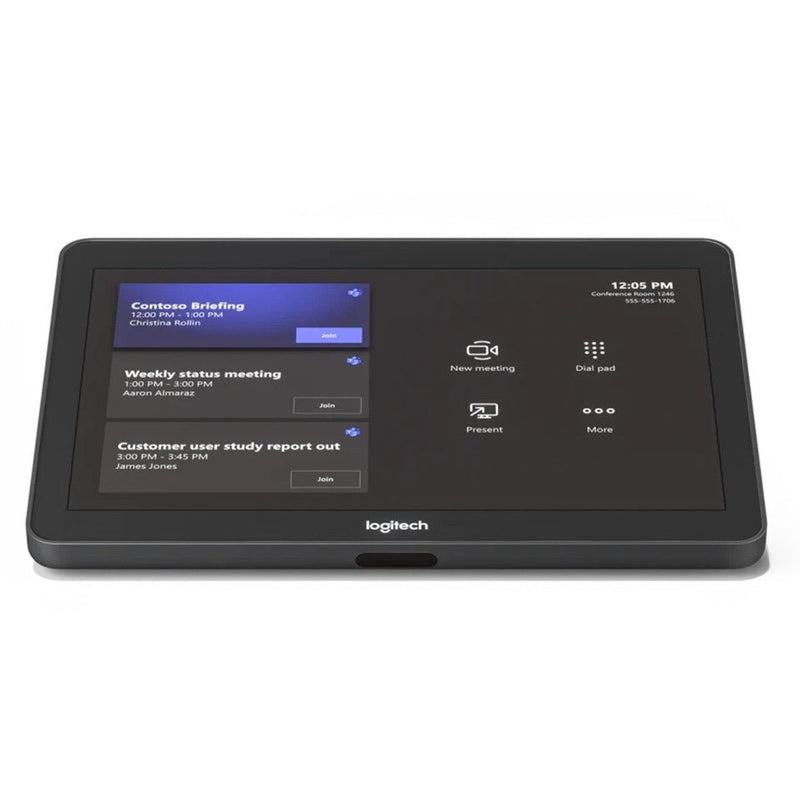
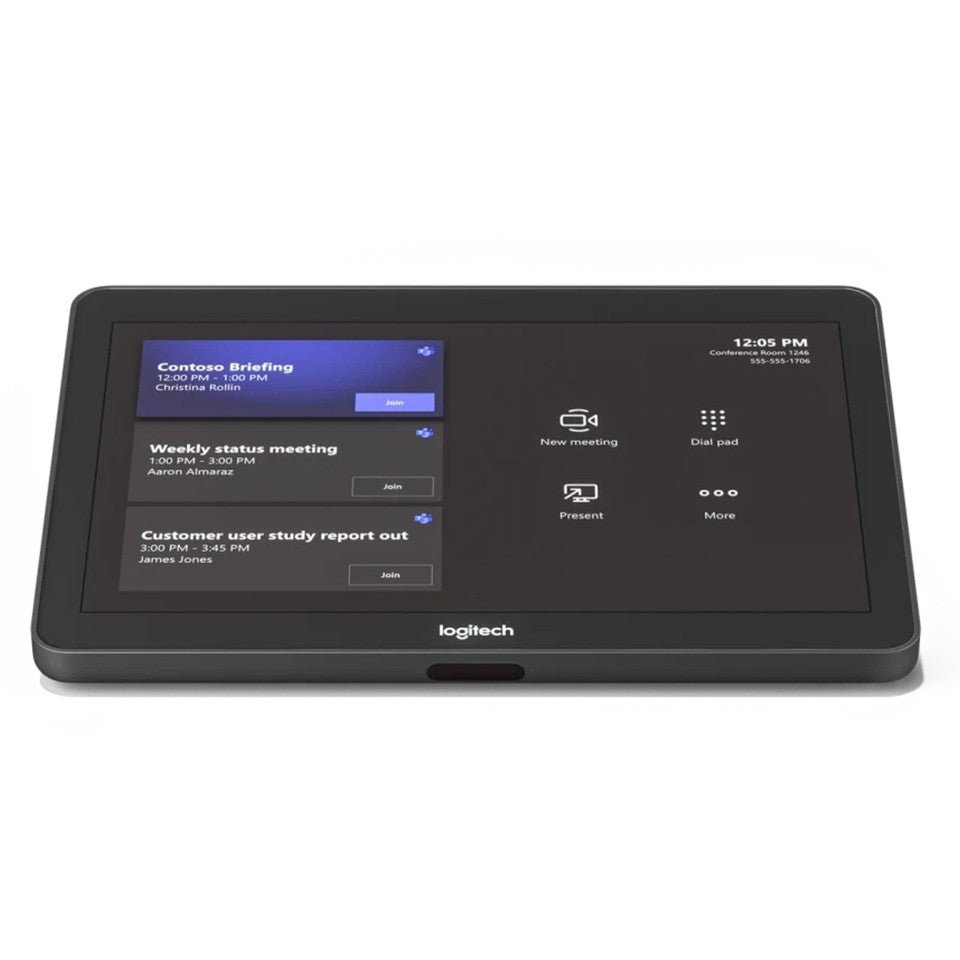
The Logitech Tap Scheduler is a purpose-built 10.1-inch room scheduling panel engineered to streamline meeting room management and provide instant visibility outside conference spaces. Certified for leading booking platforms including Microsoft Teams Panels, Zoom Rooms Scheduling Display, Robin, and Appspace, the panel features vibrant green and red LED availability indicators that allow staff to view room status clearly from a distance. The responsive IPS touchscreen delivers a 1280 x 800 resolution with 400 nits of brightness, an oleophobic anti-fingerprint coating, and an integrated ambient light sensor that automatically adjusts to changing corridor lighting.

Installation is clean and straightforward with single-cable Power over Ethernet (PoE 802.3af Type 1, Class 3) connectivity, eliminating the need for dedicated power outlets at the mounting location. The unit includes versatile mounting hardware out of the box, supporting multi-surface placement on glass partitions, drywall, corners, and mullions, alongside standard 100 x 100 mm VESA compatibility. Clean cable routing options allow the network connection to exit horizontally, vertically, or directly through the mounting surface for a tidy architectural finish.

Running on Logitech CollabOS, the Tap Scheduler ensures robust enterprise-grade security with AES-128 full disk encryption, Arm TrustZone key protection, and device attestation. Centralized fleet monitoring, remote diagnostics, and firmware deployment are managed seamlessly through Logitech Sync, while platform administrators can configure room logic directly within Microsoft Teams admin center or Zoom Device Management.

Brand Logitech
Model Tap Scheduler (VR0028)
Part Number 952-000094
Colour White
Display Size 10.1"
Display Type IPS LCD with LED Backlighting
Resolution 1280 x 800
Touch Technology Capacitive 10-point Multi-Touch
Brightness 400 nits
Contrast Ratio 1000:1
Viewing Angle 85°
Power Supply Power over Ethernet (PoE) IEEE 802.3af Type 1 Class 3
Network Connectivity Ethernet 10/100 Mbps (RJ45), Wi-Fi 802.11a/b/g/n/ac
Operating System Logitech CollabOS
Sensors Ambient Light Sensor, Accelerometer
VESA Mount Compatible 100 x 100 mm
Device Dimensions 16.5 x 24.6 x 2.9 cm
Weight 0.7 kg
Sku: 952-000094
Vendor: Logitech

Related Products

Customer Reviews

Be the first to write a review
0%
(0)
0%
(0)
0%
(0)
0%
(0)
0%
(0)